
OpenClaw란

OpenClaw는 자체 머신에 개인용 AI 어시스턴트를 배포하고 WhatsApp, Telegram, Discord, iMessage, Feishu/Lark, Slack, Signal 등 어떤 채팅 플랫폼에서든 상호작용할 수 있게 해주는 오픈소스, 셀프 호스팅 AI 에이전트 게이트웨이입니다.
클라우드 전용 AI 도구와 달리 OpenClaw는 로컬에서 실행되어 데이터를 비공개로 유지하고, AI 어시스턴트가 파일·도구·워크플로우에 지속적으로 접근할 수 있게 합니다.
핵심 기능:
- 로컬 우선 —— 데이터는 내 머신에 머물고 서버 측 저장이 없음
- 멀티 플랫폼 —— 하나의 에이전트, 여러 채팅 앱, 기기 간 원활한 전환
- 멀티 모델 —— 설정 한 번으로 Anthropic, OpenAI, Google Gemini, DeepSeek, Ollama 등 30개 이상 프로바이더 전환
- 확장 가능 —— ClawHub를 통한 5,400개 이상의 커뮤니티 스킬, 몇 분 만에 직접 제작 가능
- 상시 실행 —— 백그라운드 데몬으로 실행, Cron, Heartbeat, Task Flow, Webhooks로 능동적으로 동작
- 멀티 에이전트 —— 각기 다른 페르소나, 모델, 도구 셋을 가진 여러 격리된 에이전트 병렬 실행
OpenClaw의 동작 방식
OpenClaw는 게이트웨이 아키텍처를 채택 —— 중앙 프로세스가 통일된 메시지 버스를 통해 채팅 플랫폼을 AI 에이전트에 연결합니다.
┌─────────────────────────────────────────────────────────┐
│                   Application Layer                      │
│   WebChat  ·  macOS App  ·  CLI  ·  Control UI (Admin)  │
├─────────────────────────────────────────────────────────┤
│                   Gateway Layer                          │
│   WebSocket Server  ·  Message Routing  ·  Sessions     │
├─────────────────────────────────────────────────────────┤
│                   Channel Layer                          │
│   WhatsApp · Telegram · Discord · Slack · Feishu · ...  │
├─────────────────────────────────────────────────────────┤
│                   Agent Layer                            │
│   System Prompt  ·  Tool Execution  ·  Memory Retrieval  │
├─────────────────────────────────────────────────────────┤
│                   Model Layer                            │
│   Claude · GPT · Gemini · DeepSeek · Ollama · ...       │
└─────────────────────────────────────────────────────────┘
메시지 흐름:
- 사용자가 어느 채팅 플랫폼에서든 메시지를 전송
- 채널 어댑터가 이를 OpenClaw의 내부 형식으로 변환
- 게이트웨이가 바인딩 규칙에 따라 올바른 에이전트 세션으로 라우팅
- 에이전트가 컨텍스트(시스템 프롬프트 + 메모리 + 도구)를 조립하고 LLM 호출
- 응답이 게이트웨이를 거쳐 발신 채널로 되돌아감
핵심 설계 원칙
| 원칙 | 설명 |
|---|---|
| 셀프 호스팅 | 내 머신에서 실행 —— 노트북, VPS, Docker 또는 클라우드 VM. 데이터는 내 것. |
| 플랫폼 독립 | 동일 에이전트를 모든 채팅 앱에서. 에이전트 로직을 건드리지 않고 채널 추가/제거. |
| 모델 유연 | 벤더 종속 없음. 에이전트별, 작업별로 모델 전환 또는 자동 폴백 체인 설정. |
| 스킬 확장 | 스킬은 Markdown 기반 명령 파일. ClawHub에서 설치하거나 직접 작성. |
| 에이전트 격리 | 각 에이전트는 자체 워크스페이스, 세션, 메모리, 인증, 스킬 셋을 가짐. |
| 능동적 | 단순 반응형이 아님 —— Cron, Heartbeat, Task Flow, Webhooks로 에이전트가 자율 행동. |
시스템 아키텍처 심화
OpenClaw는 확장성과 격리를 위해 설계된 5계층 아키텍처를 사용:
게이트웨이(코어):
- 모든 클라이언트 연결을 처리하는 WebSocket 서버
- 수신 메시지를 에이전트 세션에 매핑하는 메시지 라우팅 엔진
- 에이전트별 상태 격리를 갖는 세션 관리
- 동시 도구 호출을 관리하는 도구 실행 코디네이터
채널 어댑터:
- 각 플랫폼(WhatsApp, Telegram 등)에 전용 어댑터
- 어댑터는 플랫폼별 인증, 메시지 포맷팅, 미디어 처리
- 게이트웨이 수정 없이 플러그인으로 새 채널 추가 가능
에이전트 런타임:
- 워크스페이스 파일(SOUL.md, USER.md, IDENTITY.md)에서 시스템 프롬프트 조립
- 도구 등록과 실행 샌드박스
- 메모리 검색 파이프라인(Active Memory, Memory Wiki)
- 토큰 예산이 있는 대화 컨텍스트 관리
모델 추상화:
- 35개 이상 LLM 프로바이더에 걸친 통일 인터페이스
- 자동 폴백 체인(주 → 보조 → 로컬)
- 에이전트별 모델 설정
- 저지연 스트리밍을 위한 WebSocket 전송
게이트웨이 내부
게이트웨이는 OpenClaw의 심장입니다. 모든 클라이언트 —— CLI, WebChat, 채팅 플랫폼 —— 가 WebSocket으로 여기에 연결됩니다.
연결 수명 주기:
Client                          Gateway
  │                                │
  ├── req:connect (identity) ────▶ │
  │                                ├── authenticate
  │ ◀── res (ok) + hello-ok ──────┤
  │                                │
  │ ◀── event:presence ───────────┤  (online status)
  │ ◀── event:tick ───────────────┤  (heartbeat)
  │                                │
  ├── req:agent (message) ───────▶ │
  │                                ├── route to agent session
  │                                ├── execute tools
  │                                ├── call LLM
  │ ◀── event:agent (stream) ─────┤  (partial response)
  │ ◀── res:agent (final) ────────┤  (complete response)
주요 설정:
{
  "gateway": {
    "port": 18789,
    "host": "127.0.0.1",
    "auth": {
      "mode": "token",
      "token": "your-secret-token"
    }
  }
}
멀티 에이전트 아키텍처
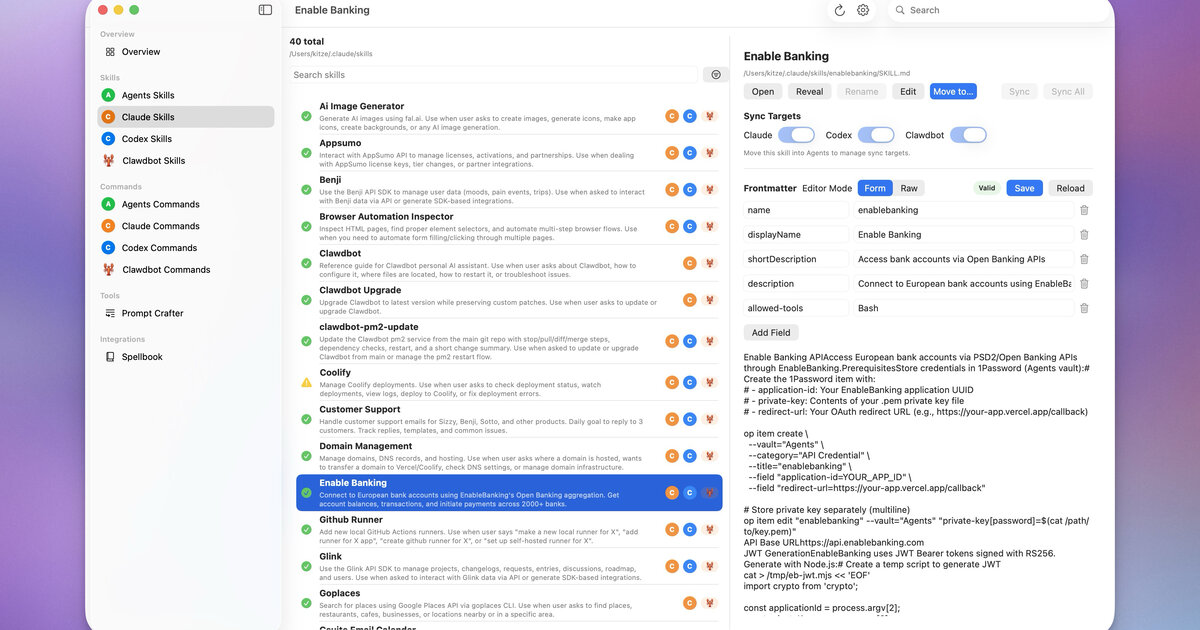 Control UI에서 나란히 실행되는 여러 에이전트 — openclaw/openclaw 제공
OpenClaw는 여러 에이전트의 병렬 실행을 지원하며, 각각은 완전히 격리됩니다:
| 격리 차원 | 설명 |
|---|---|
| 워크스페이스 | 각 에이전트는 SOUL.md, USER.md 등을 포함한 자체 디렉토리를 가짐 |
| 세션 | 독립적인 대화 기록 |
| 인증 | 개별 API 키와 모델 설정 |
| 메모리 | 독립된 메모리 저장소 |
| 스킬 | 에이전트별로 다른 스킬 셋을 로드 가능 |
토폴로지 예시:
Gateway
├── WhatsApp ──▶ "alex" agent (personal assistant)
├── Telegram ──▶ "work" agent (coding helper)
├── Discord  ──▶ "coding" agent (pair programmer)
└── Feishu   ──▶ "team" agent (team coordinator)
각 에이전트의 워크스페이스는 ~/.openclaw/agents/<agentId>/agent/에 있습니다.
OpenClaw vs ChatGPT vs Claude Code
| 기능 | ChatGPT | Claude Code | OpenClaw |
|---|---|---|---|
| 실행 위치 | 클라우드 | 로컬 터미널 | 로컬(모든 OS) |
| 데이터 프라이버시 | 서버 측 저장 | 로컬 | 로컬 |
| 채팅 앱 연동 | 없음 | 없음 | WhatsApp / Telegram / Discord / iMessage / Feishu / Slack |
| 로컬 파일 접근 | 불가 | 가능 | 가능 |
| 커스텀 스킬 | GPTs(제한적) | 없음 | ClawHub를 통해 5,400개 이상 |
| 상시 실행 | 브라우저 필요 | 터미널 필요 | 백그라운드 데몬 |
| 멀티 에이전트 | 아니오 | 아니오 | 여러 격리 페르소나 |
| 능동적 | 아니오 | 아니오 | Cron / Heartbeat / Task Flow / Webhooks |
| 주요 용도 | 일반 채팅 | 코딩 어시스턴트 | 개인용 AI 어시스턴트 |
OpenClaw를 사용해야 할 때:
- 휴대폰에서 언제든 접근 가능한 AI 어시스턴트가 필요할 때
- 로컬 파일 접근, 명령 실행, 작업 자동화가 필요할 때
- 완전한 데이터 프라이버시와 로컬 실행이 필요할 때
- 단일 에이전트에서 여러 플랫폼 접근이 필요할 때
- 커뮤니티 스킬로 기능을 확장하고 싶을 때
생태계와 커뮤니티
OpenClaw 생태계는 코어 게이트웨이를 훨씬 넘어 확장됩니다:
| 구성 요소 | 설명 |
|---|---|
| ClawHub | 5,400개 이상의 커뮤니티 스킬을 가진 공개 스킬 레지스트리 |
| Control UI | 게이트웨이 관리용 웹 관리 대시보드 |
| OpenClaw Manager | 멀티 게이트웨이 관리용 React + Tailwind 웹 UI |
| ClawX | 자율 에이전트 작업용 데스크톱 앱 |
| ClawPanel | Tauri v2 관리 패널 |
| Composio | 1,000개 이상 외부 서비스의 매니지드 OAuth 연동 |
| MyClaw | 원클릭 클라우드 호스팅 OpenClaw 인스턴스 |
커뮤니티 리소스:
- GitHub: github.com/openclaw/openclaw
- Discord: discord.com/invite/clawd
- ClawHub: clawhub.com
- 스킬 카탈로그: github.com/VoltAgent/awesome-openclaw-skills(50k+ 스타)
설치 방법
환경에 맞는 설치 방법을 선택:
| 방법 | 난이도 | 비용 | 적합한 대상 |
|---|---|---|---|
| npm(공식) | 중간 | 무료 | 완전한 제어가 필요한 개발자 |
| curl 인스톨러 | 쉬움 | 무료 | macOS / Linux 사용자 |
| Docker | 중간 | 무료 | 서버 배포 |
| EasyClaw | 쉬움 | 무료 | 초보자, 제로 설정 |
| 클라우드 VPS | 쉬움 | 유료 | 24/7 가동, 원격 접속 |
| 매니지드(MyClaw) | 가장 쉬움 | 유료 | 서버 관리 불필요 |
npm 설치(권장)
# Requires Node.js 22+
node -v  # verify

# Install globally
npm install -g openclaw@latest

# Run onboarding wizard
openclaw onboard
curl 인스톨러
# macOS / Linux
curl -fsSL https://openclaw.ai/install.sh | bash

# Windows (PowerShell)
iwr -useb https://openclaw.ai/install.ps1 | iex
Docker
# Clone the docker-compose template
git clone https://github.com/openclaw/openclaw.git
cd openclaw/docker

# Configure environment
cp .env.example .env
# Edit .env with your API keys

# Start
docker compose up -d
클라우드 배포 옵션
| 프로바이더 | 시작 가격 | 비고 |
|---|---|---|
| Tencent Cloud Lighthouse | ~$3/월 | 사전 빌드된 OpenClaw 이미지 |
| Alibaba Cloud Wuying | 사용량 기준 | OpenClaw 탑재 클라우드 데스크톱 |
| Volcengine | ~$1.5/월 | 가성비 VPS |
| Cloudflare Workers | $5/월 | 글로벌 CDN, R2 설정 필요 |
| MyClaw | 매니지드 | 원클릭, 24/7 가동 |
시스템 요구 사항
| 요구 사항 | 최소 | 권장 |
|---|---|---|
| Node.js | 22.x | 24.x |
| 메모리 | 512 MB | 2 GB 이상 |
| 디스크 | 200 MB | 1 GB 이상(스킬, 메모리용) |
| OS | macOS 12+, Ubuntu 20.04+, Windows 10+(WSL2) | macOS, Linux |
| 네트워크 | 인터넷(API 호출용) | 안정적인 브로드밴드 |
플랫폼 참고:
- macOS —— 최고의 경험. 네이티브 launchd 데몬 지원.
- Linux —— 완전 지원. systemd 서비스 사용 가능.
- Windows —— 네이티브 PowerShell보다 WSL2를 강력히 권장.
- ARM(라즈베리 파이) —— 동작하지만 느림, 가벼운 설정에 적합.
온보딩 마법사
openclaw onboard 명령이 약 5분 만에 초기 설정을 안내:
openclaw onboard마법사는 10단계를 다룹니다:
- 리스크 면책 조항 동의
- 설정 모드 선택(빠른 시작 / 고급)
- AI 모델 프로바이더 선택(Anthropic / OpenAI / Google / DeepSeek / Ollama / …)
- API 키 입력
- 채팅 플랫폼 선택(Telegram / Feishu / Discord / WhatsApp / …)
- 게이트웨이 포트 설정(기본: 18789)
- 초기 스킬 선택
- 추가 API 키 설정(웹 검색 등)
- hooks 활성화(선택)
- 완료 —— 게이트웨이가 자동 시작
수동 설정(마법사 건너뛰기):
# Configure model provider
openclaw models auth login --provider anthropic

# Add a chat channel
openclaw channels add

# Start gateway
openclaw gateway start
모델 프로바이더 설정
OpenClaw는 35개 이상의 모델 프로바이더를 기본 지원:
| 프로바이더 | 모델 | 비고 |
|---|---|---|
| Anthropic | Claude 4.5 Sonnet, Claude 4 Haiku, … | 코딩에 권장 |
| OpenAI | GPT-5.4, GPT-5.4-pro, o3, … | API 키 또는 ChatGPT OAuth 경유 |
| Gemini 2.5 Pro, Gemini 2.5 Flash, … | 무료 tier 있음 | |
| DeepSeek | DeepSeek-V3, DeepSeek-R1, … | 최고의 가성비 |
| Ollama | 로컬 모델(Llama, Mistral, Qwen, …) | 완전 오프라인 |
| MiniMax | MiniMax-Text-01, … | 중국 시장 |
| Zhipu GLM | GLM-4, … | 중국 시장 |
| Qwen | Qwen-Max, Qwen-Plus, … | Alibaba Cloud |
설정 예시:
{
  "models": {
    "mode": "merge",
    "providers": {
      "anthropic": {
        "apiKey": "sk-ant-..."
      },
      "openai": {
        "apiKey": "sk-..."
      },
      "ollama": {
        "baseUrl": "http://localhost:11434"
      }
    },
    "defaults": {
      "main": "anthropic/claude-4-5-sonnet",
      "fast": "anthropic/claude-4-haiku"
    },
    "fallback": [
      "openai/gpt-5.4",
      "google/gemini-2.5-pro"
    ]
  }
}
주요 개념:
mode: "merge"—— 내장 프로바이더를 유지하며 커스텀 추가defaults.main—— 복잡한 작업의 메인 모델defaults.fast—— 빠른 응답용 경량 모델(/fast로 전환)fallback—— 자동 장애 조치 체인
게이트웨이 시작과 관리
# Start (foreground)
openclaw gateway start

# Start as background daemon
openclaw gateway start --daemon

# Stop
openclaw gateway stop

# Restart (after config changes)
openclaw gateway restart

# Check status
openclaw status

# View logs
openclaw gateway logs
데몬 설정:
| OS | 메커니즘 | 자동 시작 |
|---|---|---|
| macOS | launchd | openclaw onboard --install-daemon |
| Linux | systemd | openclaw service install |
| Docker | Docker 재시작 정책 | restart: unless-stopped |
핫 리로드: openclaw.json의 대부분의 설정 변경은 openclaw gateway restart 후 반영. 워크스페이스 파일(SOUL.md, USER.md 등)은 재시작 없이 즉시 반영됩니다.
컨트롤 UI와 대시보드
OpenClaw는 http://127.0.0.1:18789/에 내장 웹 인터페이스를 포함:
| 기능 | 설명 |
|---|---|
| 대시보드 | 에이전트 상태, 활성 세션, 시스템 건전성 개요 |
| WebChat | 브라우저에서 직접 에이전트와 채팅 |
| 설정 | 게이트웨이 설정 보기 및 편집 |
| 에이전트 뷰 | 에이전트 워크스페이스, 스킬, 메모리 검사 |
| 세션 뷰 | 대화 세션 탐색 및 관리 |
| 명령 팔레트 | 키보드 단축키로 빠른 작업 |
| 메시지 내보내기 | 대화 기록 내보내기 |
모바일 지원: 컨트롤 UI는 반응형 —— 모바일에서는 하단 탭 내비게이션, 데스크톱에서는 사이드바.
WebChat의 슬래시 명령:
/status—— 게이트웨이와 에이전트 상태/models—— 사용 가능한 모델 목록/skills—— 설치된 스킬 목록/sessions—— 활성 세션 목록/fast—— 빠른 모델 모드 전환
첫 메시지 보내기
 iOS 클라이언트와 OpenClaw 에이전트의 대화 — openclaw/openclaw 제공
게이트웨이 시작 후, 몇 가지 방법으로 상호작용할 수 있습니다:
방법 1: WebChat(가장 빠름)
Open http://127.0.0.1:18789/chat in your browser
Type: "Hello! What can you do?"
방법 2: CLI
openclaw chat
# Type your message, get a response
방법 3: 채팅 플랫폼
Send a DM to your bot on Telegram / Feishu / Discord / etc.이 명령들을 시도해 보세요:
"What's the weather in San Francisco?"
"List the files in my home directory"
"Create a reminder: buy groceries tomorrow at 5pm"
"Search the web for the latest OpenClaw release notes"
"Summarize my recent emails"
보안과 인증
게이트웨이 인증은 필수 —— 인증 모드를 명시적으로 설정해야 합니다:
# Token-based (recommended)
openclaw config set gateway.auth.mode token
openclaw config set gateway.auth.token "$(openssl rand -hex 24)"

# Or password-based
openclaw config set gateway.auth.mode password
openclaw config set gateway.auth.password "your-strong-password"

openclaw gateway restart
채널 수준 보안:
{
  "channels": {
    "telegram": {
      "dmPolicy": "pairing",
      "allowFrom": ["your_telegram_user_id"]
    },
    "feishu": {
      "dmPolicy": "pairing"
    }
  }
}| 정책 | 설명 |
|---|---|
pairing | 사용자가 일회성 페어링 코드를 입력해야 함(기본, 권장) |
open | 누구나 봇에게 메시지 가능(주의해서 사용) |
allowlist | 명시적으로 나열된 사용자 ID만 |
그룹 채팅 보안:
{
  "channels": {
    "telegram": {
      "groupPolicy": "allowlist",
      "groups": {
        "allowed-group-id": {
          "requireMention": true
        }
      }
    }
  }
}
채널 개요
 하나의 게이트웨이, 다수의 채팅 플랫폼 — openclaw/openclaw 제공
OpenClaw는 통일된 채널 시스템으로 8개 이상의 채팅 플랫폼을 지원. 각 채널 어댑터는 플랫폼별 인증, 메시지 포맷팅, 미디어 처리를 담당.
| 채널 | 설정 난이도 | 기능 |
|---|---|---|
| Telegram | 쉬움 | Bot API, 인라인 모드, 그룹, 미디어 |
| Discord | 중간 | 서버, 채널, 스레드, 슬래시 명령 |
| Feishu/Lark | 중간 | 인터랙티브 카드, WebSocket, 그룹, 엔터프라이즈 |
| 어려움 | QR 페어링, 미디어, 그룹 지원 | |
| Slack | 중간 | Block Kit, webhooks, 워크스페이스 앱 |
| iMessage | 중간 | macOS 전용, BlueBubbles 경유 |
| Signal | 어려움 | 프라이버시 우선, signal-cli 필요 |
| WebChat | 가장 쉬움 | 내장, 제로 설정 |
공통 설정 패턴:
{
  "channels": {
    "<channel-name>": {
      "enabled": true,
      "...credentials...": "...",
      "dmPolicy": "pairing",
      "groupPolicy": "disabled"
    }
  }
}
Telegram 설정
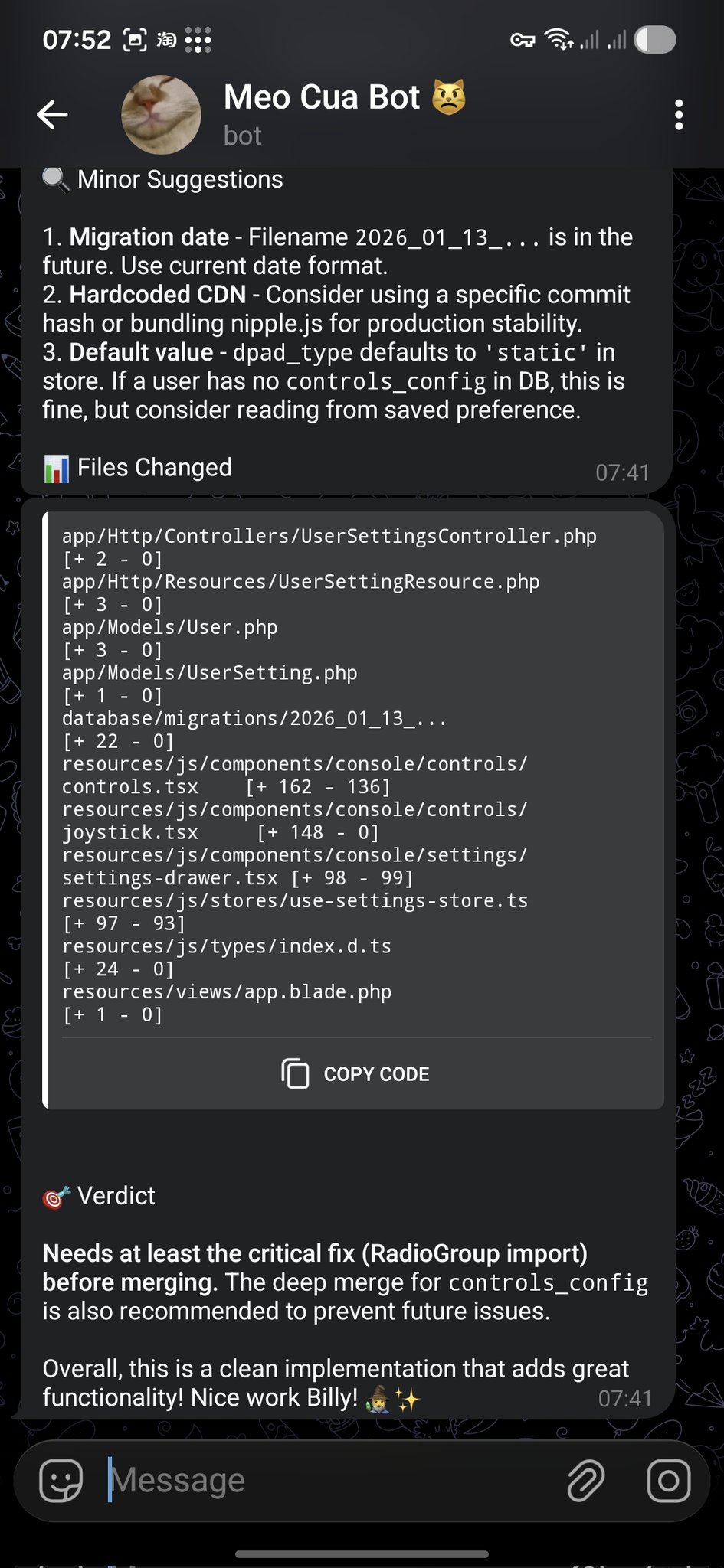 코드 리뷰 알림이 Telegram으로 전달 — openclaw/openclaw 제공
Telegram은 가장 설정하기 쉬운 채널입니다 —— bot token만 있으면 됩니다.
1단계: 봇 생성
1. Open Telegram, search for @BotFather
2. Send /newbot
3. Choose a name and username
4. Copy the bot token
2단계: OpenClaw 설정
openclaw channels add
# Select "Telegram"
# Paste the bot token
또는 openclaw.json을 직접 편집:
{
  "channels": {
    "telegram": {
      "token": "123456:ABC-DEF1234ghIkl-zyx57W2v1u123ew11",
      "dmPolicy": "pairing"
    }
  }
}
3단계: 재시작 및 테스트
openclaw gateway restart
# Send a message to your bot in Telegram
고급 옵션:
{
  "channels": {
    "telegram": {
      "token": "...",
      "allowFrom": ["123456789"],
      "groups": {
        "*": { "requireMention": true }
      },
      "streaming": true,
      "replyToMode": "quote"
    }
  }
}
Discord 설정
1단계: Discord 앱 생성
1. Go to discord.com/developers/applications
2. Click "New Application"
3. Go to "Bot" tab → "Add Bot"
4. Copy the bot token
5. Enable "Message Content Intent" under Privileged Gateway Intents
6. Generate an OAuth2 URL with "bot" scope and appropriate permissions
7. Use the URL to invite the bot to your server
2단계: OpenClaw 설정
{
  "channels": {
    "discord": {
      "token": "your-discord-bot-token",
      "dmPolicy": "pairing"
    }
  }
}
3단계: 재시작
openclaw gateway restartFeishu / Lark 설정
Feishu(비슈)는 중국 시장에서 가장 인기 있는 채널입니다. 인터랙티브 메시지 카드, WebSocket 기반 이벤트 구독, 엔터프라이즈급 보안을 지원.
1단계: Feishu 앱 생성
1. Go to open.feishu.cn
2. Create an enterprise self-built app
3. Enable "Bot" capability
4. Copy App ID and App Secret
5. Configure permissions (batch import recommended)
6. Enable event subscription: WebSocket mode, event: im.message.receive_v1
7. Publish the app
필요 권한:
im:message—— 메시지 읽기im:message:send_as_bot—— 봇으로 메시지 전송contact:contact.base:readonly—— 연락처 정보 읽기
2단계: Feishu 플러그인 설치
openclaw plugins install @openclaw/feishu3단계: 설정
{
  "channels": {
    "feishu": {
      "appId": "cli_xxxxx",
      "appSecret": "xxxxx",
      "dmPolicy": "pairing"
    }
  }
}
고급: 스트리밍 출력
{
  "channels": {
    "feishu": {
      "appId": "...",
      "appSecret": "...",
      "streaming": true,
      "replyToMode": "quote"
    }
  }
}
고급: 인터랙티브 카드
Feishu는 버튼, 폼, 콜백 핸들러를 가진 풍부한 인터랙티브 메시지 카드를 지원. 카드 구현 예는 레시피 탭을 참조.
WhatsApp, Signal, iMessage
WhatsApp은 QR 코드 페어링이 필요(WhatsApp Web과 유사):
openclaw channels add
# Select "WhatsApp"
# Scan the QR code with your phone
{
"channels": {
"whatsapp": {
"dmPolicy": "pairing"
}
}
}참고: WhatsApp은 비공식 WhatsApp Web 프로토콜을 사용. 계정 문제를 피하려면 전용 번호를 사용하세요.
Signal
Signal 연동은 signal-cli를 데몬으로 실행해야 합니다:
# Install signal-cli
# Register or link as a secondary device
# Configure OpenClaw to connect
iMessage(macOS 전용)
iMessage는 Mac에서 BlueBubbles 서버를 실행해야 합니다:
{
  "channels": {
    "imessage": {
      "blueBubblesUrl": "http://localhost:1234",
      "password": "your-bluebubbles-password"
    }
  }
}
멀티 채널 라우팅
여러 채널을 운영할 때, 서로 다른 채널을 서로 다른 에이전트로 라우팅할 수 있습니다:
{
  "bindings": [
    { "channel": "whatsapp", "agentId": "personal" },
    { "channel": "telegram", "agentId": "work" },
    { "channel": "discord",  "agentId": "coding" },
    { "channel": "feishu",   "agentId": "team" }
  ]
}
바인딩 규칙은 순서대로 평가 —— 첫 번째 매치가 이깁니다. 채팅 유형, 그룹 ID, 사용자 ID로 필터링할 수도 있습니다:
{
  "bindings": [
    {
      "channel": "telegram",
      "agentId": "vip-support",
      "match": { "userId": "vip-user-123" }
    },
    {
      "channel": "telegram",
      "agentId": "general"
    }
  ]
}
워크스페이스 개요
각 에이전트는 페르소나, 동작, 지식을 정의하는 설정 파일을 포함한 워크스페이스 디렉토리를 가집니다:
~/.openclaw/workspace/
├── SOUL.md        # Core principles and behavioral guidelines
├── IDENTITY.md    # Name, persona, vibe
├── USER.md        # Information about the human
├── AGENTS.md      # Working specifications and rules
├── MEMORY.md      # Long-term curated memory
├── HEARTBEAT.md   # Periodic check task list
├── TOOLS.md       # Local tool configuration notes
├── BOOTSTRAP.md   # First-run initialization instructions
└── skills/        # Agent-specific local skills
핵심 개념: 이 파일들이 에이전트의 “운영체제”입니다. 에이전트는 세션 시작 시 이를 읽고 지시에 따릅니다. 변경은 즉시 반영 —— 게이트웨이 재시작이 필요 없습니다.
SOUL.md — 핵심 원칙
SOUL.md는 에이전트의 헌법입니다 —— 페르소나, 톤, 행동 경계를 정의:
# SOUL.md

Be genuinely helpful, not performatively helpful.
Skip the "Great question!" — just help.

Have opinions. An assistant with no personality is just a search engine.

Be resourceful before asking. Try to figure it out first.

Remember you're a guest. Treat access to someone's data with respect.

### Communication Style
- Concise by default, detailed when asked
- Use technical language with developers, plain language with others
- Admit mistakes quickly and fix them

### Safety Rules
- Never expose private data to external services
- Ask before executing destructive commands
- When uncertain, explain the trade-offs and let the human decide
IDENTITY.md — 역할 정의
에이전트에 이름과 페르소나를 부여:
# IDENTITY.md

- **Name**: Jarvis
- **Creature**: AI assistant with a dry sense of humor
- **Vibe**: Reliable, warm, occasionally witty
- **Emoji**: 🤖
- **Language**: Default to English, switch to user's language when they speak
USER.md — 사용자 컨텍스트
에이전트에게 자신에 대해 알려주세요:
# USER.md

- **Name**: John Doe
- **What to call them**: John
- **Timezone**: America/New_York
- **Occupation**: Software engineer
- **Preferences**:
  - Likes concise answers
  - Prefers TypeScript over JavaScript
  - Uses Vim keybindings
  - Don't disturb after 11pm unless urgent
- **Current projects**:
  - Building a SaaS dashboard (React + Node)
  - Learning Rust on weekends
AGENTS.md — 작업 사양
운영 규칙과 세션 동작을 정의:
# AGENTS.md

### Every Session
1. Read SOUL.md — remember who you are
2. Read USER.md — remember who you're helping
3. Read memory/YYYY-MM-DD.md — recent context

### Safety Rules
- Never leak private data
- Never execute destructive commands without confirmation
- When uncertain, ask before acting

### Group Chat Rules
- Don't reply to every message — quality over quantity
- Only respond when mentioned or when you can add value
- Keep responses shorter in group chats

### Tool Usage
- Prefer built-in tools over skills when possible
- Always verify file paths before writing
- Back up before destructive operations
Active Memory
Active Memory는 각 응답 전에 실행되는 블로킹 메모리 서브에이전트입니다. 관련 설정, 컨텍스트, 역사적 세부사항을 검색하여 에이전트의 답변을 풍부하게 합니다.
동작 방식:
- 사용자가 메시지 전송
- Active Memory 서브에이전트가 메모리 저장소에서 의미 검색 실행
- 검색된 메모리가 에이전트 컨텍스트에 주입
- 메인 에이전트가 풍부해진 컨텍스트로 응답
설정:
{
  "plugins": {
    "entries": {
      "active-memory": {
        "enabled": true,
        "agents": ["main"],
        "allowedChatTypes": ["direct"],
        "queryMode": "recent",
        "promptStyle": "balanced",
        "timeoutMs": 15000
      }
    }
  }
}| 옵션 | 값 | 설명 |
|---|---|---|
queryMode | recent, semantic, hybrid | 메모리 검색 방법 |
promptStyle | minimal, balanced, verbose | 주입할 메모리 컨텍스트의 양 |
timeoutMs | 숫자 | 메모리 검색 최대 시간 |
Dreaming과 Memory Wiki
Dreaming은 OpenClaw의 장기 기억 통합 프로세스입니다. 인간의 수면처럼, 최근 경험을 처리하고 구조화된 지식으로 증류합니다.
Memory Wiki는 영구적인 메모리를 claim / evidence(주장 / 증거) 구조로 검색 가능한 지식 금고에 컴파일합니다:
Claim: "User prefers TypeScript over JavaScript"
Evidence:
  - 2026-01-15: User corrected agent to use .ts extension
  - 2026-02-03: User asked to migrate project to TypeScript
  - 2026-03-10: USER.md updated with TypeScript preference
Wiki 명령:
# Initialize the wiki vault
openclaw wiki init

# Ingest memories into the wiki
openclaw wiki ingest

# Compile and resolve contradictions
openclaw wiki compile

# Search the wiki
openclaw wiki search "TypeScript preferences"

# Get a specific claim
openclaw wiki get "user-language-preference"
설정:
{
  "plugins": {
    "entries": {
      "memory-wiki": {
        "enabled": true,
        "vaultMode": "isolated",
        "renderMode": "obsidian",
        "search": {
          "backend": "shared"
        }
      }
    }
  }
}
5계층 메모리 시스템
OpenClaw의 메모리는 빠름/휘발성에서 느림/영구까지 5계층으로 구성:
| 계층 | 이름 | 저장소 | 수명 | 용도 |
|---|---|---|---|---|
| L0 | 세션 컨텍스트 | 메모리 | 단일 세션 | 현재 대화 |
| L1 | 일일 메모리 | memory/YYYY-MM-DD.md | 수일~수주 | 오늘 일어난 일 |
| L2 | 장기 메모리 | MEMORY.md | 영구 | 큐레이션된 중요 사실 |
| L3 | Memory Wiki | Wiki 금고 | 영구 | 구조화된 주장 + 증거 |
| L4 | 외부 지식 | 파일, DB, 웹 | 가변적 | 프로젝트 문서, 웹 검색 |
데이터 흐름:
Conversation → L0 (session)
    ↓ (end of session)
Daily notes → L1 (memory/YYYY-MM-DD.md)
    ↓ (periodic consolidation)
Curated facts → L2 (MEMORY.md)
    ↓ (wiki compile)
Structured claims → L3 (Memory Wiki)
    ↓ (on demand)
External lookup → L4 (files, web, databases)
유지보수:
- 매일: 에이전트가 자동으로 L1에 기록
- 매주: L1 검토 → 중요 항목을 L2로 승격
- 매월:
openclaw wiki compile로 L2 → L3 통합
멀티 에이전트 협업
복잡한 워크플로우에서 여러 에이전트가 협업할 수 있습니다:
토폴로지 패턴:
| 패턴 | 설명 | 사용 시기 |
|---|---|---|
| 스타형 | 하나의 코디네이터가 N개 워커에 위임 | 범용 |
| 전문가형 | 각 에이전트가 도메인을 소유 | 명확한 도메인 경계 |
| 리플렉터형 | 한 에이전트가 생산, 다른 하나가 검토 | 품질 중요 출력 |
세션을 통한 위임:
# Agent A delegates to Agent B
sessions_send --agent coding --message "Review this PR"

# Agent A spawns a child agent
sessions_spawn --agent researcher --message "Find the latest benchmarks"
설계 원칙:
- 각 에이전트는 명확하고 겹치지 않는 책임을 가져야 함
- 공유 워크스페이스 파일(AGENTS.md)로 크로스 에이전트 관례 정의
- 위임은 명시적으로 —— 작업이 넘겨질 때 사용자가 알 수 있도록
- 단일 에이전트로 시작, 실제 복잡도에 직면했을 때만 분할
스킬 개요
스킬은 에이전트에게 특정 작업을 수행하는 방법을 가르치는 재사용 가능한 명령 파일입니다. AgentSkills 표준을 따르며 ClawHub에서 설치하거나 직접 작성할 수 있습니다.
스킬 vs 도구 vs 플러그인:
| 개념 | 무엇인가 | 예시 |
|---|---|---|
| 스킬(Skill) | 방법론 / SOP | ”주간 보고서 생성 방법” |
| 도구(Tool) | 특정 액션 | exec, read_file, web_search |
| 플러그인(Plugin) | 기능 카테고리 추가 | Feishu 플러그인, WhatsApp 플러그인 |
| MCP | 외부 시스템에 연결 | GitHub MCP, Slack MCP |
스킬 로딩 우선순위:
- 워크스페이스 스킬(
workspace/skills/) - 글로벌 스킬(
~/.openclaw/skills/) - 번들 스킬(OpenClaw에 포함)
ClawHub 생태계
ClawHub는 OpenClaw의 공개 스킬 레지스트리로, 5,400개 이상의 커뮤니티 스킬을 호스팅.
스킬 탐색:
# Search for skills
openclaw skills search "web scraping"

# Get info about a specific skill
openclaw skills info deep-research

# List installed skills
openclaw skills list --eligible
품질 필터링: 커뮤니티가 유지하는 awesome-openclaw-skills 목록(50k+ 스타)이 엄격한 필터를 적용:
| 제외 대상 | 수 |
|---|---|
| 스팸 / 봇 계정 | 4,065 |
| 중복 | 1,040 |
| 저품질 | 851 |
| 암호화 / 금융 | 886 |
| 악의적(보안 감사) | 373 |
| 제외 합계 | 7,215 |
스킬 설치와 관리
# Install from ClawHub
openclaw skills install deep-research

# Or via ClawHub CLI (for non-workspace contexts)
npx clawhub install deep-research

# List installed skills
openclaw skills list

# Check a skill for issues
openclaw skills check deep-research

# Update all skills
openclaw skills update --all

# Disable a skill
# In openclaw.json:
# "skills": { "entries": { "deep-research": { "enabled": false } } }
수동 설치:
스킬 폴더를 다음 중 하나에 복사:
| 범위 | 경로 |
|---|---|
| 글로벌 | ~/.openclaw/skills/ |
| 워크스페이스 | <workspace>/skills/ |
대안: 스킬의 GitHub URL을 채팅에 붙여넣고 에이전트에게 설치를 요청.
스킬 파일 구조
최소 스킬은 단일 SKILL.md 파일입니다:
skills/my-skill/
├── SKILL.md          # Required: instructions + frontmatter
├── skill.json        # Optional: metadata
├── scripts/          # Optional: helper scripts
│   └── run.py
└── requirements.txt  # Optional: dependencies
SKILL.md 형식:
---
name: daily-report
description: Generate a daily work report from git history and task lists
---

# Daily Report Generator

When the user asks for a daily report:

1. Run `git log --since="midnight" --oneline` to get today's commits
2. Check the task list for completed items
3. Format as a structured report:
   - **Completed**: items finished today
   - **In Progress**: items started but not finished
   - **Blocked**: items with unresolved dependencies
   - **Tomorrow**: planned items for next working day
4. Send the report to the configured channel
환경 요구사항:
---
name: my-skill
description: My custom skill
metadata:
  openclaw:
    requires:
      bins: ["uv"]
      env: ["API_KEY"]
---
인기 스킬 카테고리
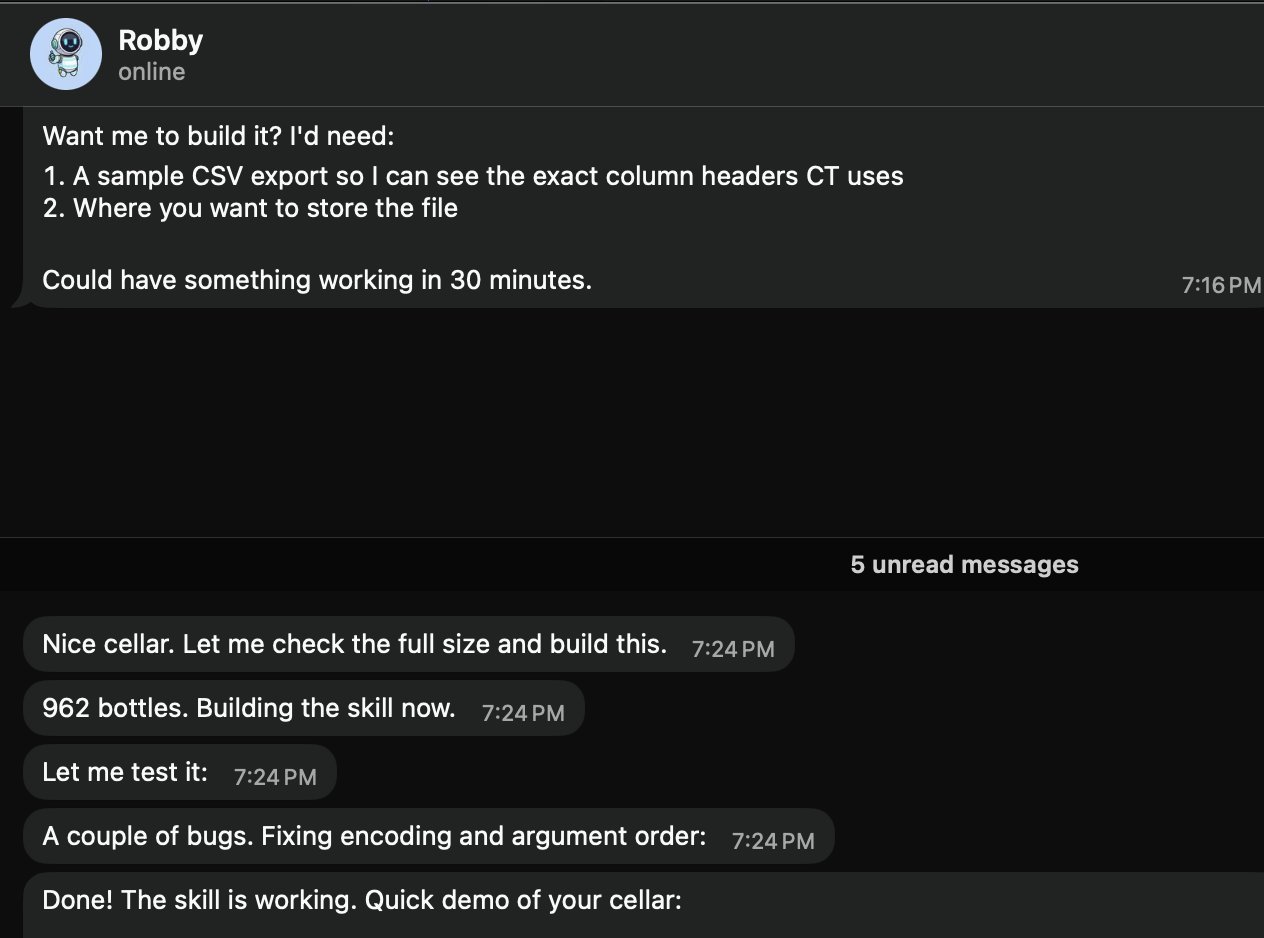 와인 저장고 재고를 추적하는 커뮤니티 스킬 — openclaw/openclaw 제공
AI와 코딩
| 스킬 | 설명 |
|---|---|
coding-agent | 코딩 작업을 Codex, Claude Code, Pi 에이전트에 위임 |
github | GitHub 작업: PR, Issue, CI, 코드 검색 |
gemini | Gemini CLI로 코딩 지원 |
claude-code | Claude Code 강화용 MCP 연동 |
브라우저 자동화
| 스킬 | 설명 |
|---|---|
browser-vision | 헤드리스 Chrome 스크린샷, 웹 자동화, 시각 디버깅 |
web-scraper | 안티 스크래핑 사이트 접근: WeChat/Twitter/Reddit |
agent-browser | AI 에이전트에 최적화된 헤드리스 브라우저 자동화 |
검색과 리서치
| 스킬 | 설명 |
|---|---|
deep-research | 멀티 엔진 검색 + 웹 추출 + 구조화 분석 |
web-search | Brave Search + DuckDuckGo 멀티 엔진 검색 |
academic-research | OpenAlex API로 학술 논문 검색 |
생산성
| 스킬 | 설명 |
|---|---|
notion | Notion 연동 |
obsidian | Obsidian 노트 |
apple-notes | Apple Notes 연동 |
apple-reminders | Apple Reminders 연동 |
이미지와 비디오
| 스킬 | 설명 |
|---|---|
image-gen | 텍스트-이미지, 이미지-이미지 생성 |
video-gen | Sora / Kling / Seedance / Veo 3로 비디오 생성 |
openai-image-gen | DALL-E 이미지 생성 |
스마트 홈
| 스킬 | 설명 |
|---|---|
sonoscli | Sonos 스피커 제어 |
openhue | Philips Hue 조명 제어 |
spotify-player | Spotify 재생 제어 |
커스텀 스킬 개발
1단계: 스킬 디렉토리 생성
mkdir -p ~/.openclaw/skills/my-skill2단계: SKILL.md 작성
---
name: weather-checker
description: Check weather for any city and format a brief forecast
---

# Weather Checker

When asked about weather:

1. Use the `web_search` tool to search for "weather [city] forecast"
2. Extract: temperature, conditions, humidity, wind
3. Format as a brief, readable forecast
4. Include a recommendation (umbrella? sunscreen? jacket?)
3단계: 테스트
Ask your agent: "What's the weather in Tokyo?"4단계: ClawHub에 게시(선택)
# Follow the ClawHub publishing guide
# Skills must pass security review before listing
보안과 스킬 감사
서드파티 스킬을 신뢰할 수 없는 코드로 취급. 설치 전:
- 소스 읽기 ——
openclaw skills info <skill>이 스킬의 파일을 표시 - 권한 확인 —— 민감한 도구나 환경 변수 접근을 요청하는가?
- 보안 스캔 실행 —— ClawHub의 VirusTotal 보고서 확인
- 격리 환경에서 테스트 —— 먼저 샌드박스 워크스페이스에서 시도
권장 보안 도구:
| 도구 | 설명 |
|---|---|
| VirusTotal | ClawHub에 내장 —— 각 스킬의 스캔 보고서 확인 |
| Snyk Agent Scanner | 오픈소스 스킬 보안 스캐너 |
| Agent Trust Hub | 커뮤니티가 유지하는 신뢰 데이터베이스 |
위험 신호:
- 명확한 사유 없이
exec접근을 요청하는 스킬 - 알 수 없는 엔드포인트로 통신하는 스킬
- 난독화된 코드나 인코딩된 문자열을 포함한 스킬
- 설명보다 더 많은 환경 변수를 요청하는 스킬
자동화 개요
OpenClaw는 에이전트가 능동적으로 행동할 수 있게 하는 네 가지 자동화 기둥을 제공:
| 메커니즘 | 비유 | 정밀도 | 용도 |
|---|---|---|---|
| Cron | 알람 시계 | 정확한 스케줄 | ”매일 오전 9시” |
| Heartbeat | 정기 체크인 | 대략적 간격 | ”30분마다 새 이메일 확인” |
| Task Flow | 조립 라인 | 이벤트 구동 | ”PR이 병합되면 → 배포 → 알림” |
| Webhooks | 초인종 | 즉각적, 외부 트리거 | ”GitHub 이벤트 → 분석 → 알림” |
선택 가이드:
- 정확한 타이밍 필요? → Cron
- 여러 체크를 일괄 처리 가능? → Heartbeat
- 상태를 갖는 다단계 워크플로우? → Task Flow
- 외부 시스템이 액션을 트리거? → Webhook
Cron 예약 작업
Cron 작업은 스케줄에 따라 실행 —— 가장 단순한 자동화.
세 가지 스케줄 유형:
{
  "cron": {
    "jobs": [
      {
        "name": "one-time-reminder",
        "schedule": { "kind": "at", "at": "2026-06-20T10:00:00+08:00" },
        "payload": { "kind": "agentTurn", "message": "Reminder: team meeting in 30 min" },
        "sessionTarget": "isolated"
      },
      {
        "name": "hourly-check",
        "schedule": { "kind": "every", "everyMs": 3600000 },
        "payload": { "kind": "agentTurn", "message": "Check for new support tickets" },
        "sessionTarget": "isolated"
      },
      {
        "name": "daily-weather",
        "schedule": { "kind": "cron", "expr": "0 7 * * *", "tz": "Asia/Shanghai" },
        "payload": { "kind": "agentTurn", "message": "Check today's weather and send a brief forecast" },
        "sessionTarget": "isolated"
      }
    ]
  }
}
페이로드 유형:
| Kind | 설명 |
|---|---|
agentTurn | 격리 또는 메인 세션에서 메시지와 함께 에이전트 실행 |
systemEvent | 메인 세션에 시스템 이벤트 주입 |
Cron 작업 관리:
openclaw cron list              # List all jobs
openclaw cron run --job <id>    # Trigger manually
openclaw cron runs --job <id>   # View execution history
자연어 생성(에이전트에게 말만 하면 됨):
"Create a reminder: every weekday at 9:50am, remind me standup is in 10 minutes"Heartbeat — 능동적 에이전트
Heartbeat는 사용자 입력이 없어도 에이전트가 주기적으로 할 일을 확인하게 합니다.
HEARTBEAT.md 설정:
# HEARTBEAT.md

### Checks (rotate through these, don't do all every time)
- [ ] Any urgent unread emails?
- [ ] Calendar events in the next 2 hours?
- [ ] GitHub notifications needing attention?
- [ ] Weather changes worth mentioning?

### Rules
- Only notify the user if something actionable was found
- Stay quiet during 23:00-08:00 unless urgent
- If nothing notable: return HEARTBEAT_OK
Heartbeat vs Cron:
| 기능 | Heartbeat | Cron |
|---|---|---|
| 타이밍 정밀도 | 대략적(~1분) | 정확 |
| 여러 체크 일괄 처리 | 가능 | 불가(작업당 1잡) |
| 세션 컨텍스트 | 메인 세션과 공유 | 격리 |
| 토큰 비용 | 낮음(일괄) | 높음(잡당 오버헤드) |
Task Flow — 영속 워크플로우
Task Flow(v2026.4+)는 게이트웨이 재시작을 견디는 다단계, 상태 저장 워크플로우를 가능케 합니다:
Trigger → Step 1 → Wait for condition → Step 2 → Step 3 → Notify예: PR 검토 파이프라인
{
  "taskFlow": {
    "name": "pr-review",
    "trigger": { "kind": "webhook", "mapping": "github" },
    "steps": [
      {
        "name": "analyze",
        "action": "agentTurn",
        "message": "Analyze this PR for security issues and code quality"
      },
      {
        "name": "notify",
        "action": "deliver",
        "channel": "telegram",
        "template": "PR Review: {{summary}}"
      }
    ]
  }
}
주요 기능:
- 재시작을 넘어선 상태 영속화
- 재시도 정책이 있는 오류 처리
- 조건 분기
- 휴먼 인 더 루프 승인 게이트
Webhooks — 이벤트 트리거
Webhooks는 이벤트 발생 시 외부 시스템이 에이전트를 즉시 트리거할 수 있게 합니다.
설정:
{
  "hooks": {
    "enabled": true,
    "token": "your-secret-token",
    "path": "/hooks",
    "defaultSessionKey": "hook:github",
    "allowedAgentIds": ["main", "hooks"],
    "mappings": [
      {
        "name": "github",
        "action": "agent",
        "agentId": "hooks",
        "deliver": true,
        "channel": "telegram",
        "messageTemplate": "GitHub event: {{action}} on {{repository.full_name}}\nTitle: {{pull_request.title}}{{issue.title}}\nURL: {{pull_request.html_url}}{{issue.html_url}}"
      }
    ]
  }
}
curl로 테스트:
curl -X POST http://127.0.0.1:18789/hooks/github \
  -H 'Authorization: Bearer your-secret-token' \
  -H 'Content-Type: application/json' \
  -d '{"action":"opened","pull_request":{"title":"Fix auth bug","user":{"login":"alice"},"html_url":"https://github.com/org/repo/pull/42"},"repository":{"full_name":"org/repo"}}'
보안:
- 무작위 token 생성:
openssl rand -hex 24 - nginx 리버스 프록시로
/hooks/경로만 노출 - 프록시 수준에서
Authorization: Bearer <token>주입
Standing Orders
Standing Orders는 모든 세션에 적용되는 영속적 지시입니다:
# In AGENTS.md or a dedicated file

### Standing Orders
- Always respond in the user's language
- Include code examples in TypeScript unless asked otherwise
- When summarizing, use bullet points, not paragraphs
- Check git status before suggesting file changes
이것은 대화 컨텍스트(휘발성)와 달리 세션과 재시작을 넘어 영속합니다.
도구 프로필
도구 프로필은 에이전트가 사용할 수 있는 도구를 제어:
| 프로필 | 활성화된 도구 | 용도 |
|---|---|---|
messaging | 채팅만, 도구 없음 | 순수 대화 |
default | 표준 도구(exec 없음) | 안전한 일상 사용 |
coding | 코드 관련 도구 | 개발 작업 |
full | exec 포함 모든 도구 | 권장 —— 전체 기능 |
all | 모든 것, 무제한 | 실험 |
# Switch profile
openclaw config set tools.profile full
openclaw gateway restart
에이전트가 채팅은 가능하지만 명령을 실행할 수 없다면,
full프로필을 사용 중인지 확인하세요.
배포 전략
니즈에 따른 배포 전략 선택:
| 전략 | 장점 | 단점 | 적합 |
|---|---|---|---|
| 로컬 노트북 | 단순, 무료 | 상시 미실행 | 개발, 테스트 |
| VPS | 24/7, 완전 제어 | 월 비용, 유지보수 | 운영 |
| Docker | 이식 가능, 재현 가능 | 약간의 오버헤드 | 모든 서버 |
| Tailscale | 안전한 원격 접속 | 네트워크 설정 | 멀티 디바이스 |
| Fly.io | 글로벌 엣지, 쉬운 배포 | 스케일 시 비용 | 저지연 |
| 클라우드 데스크톱 | GUI 접근, 매니지드 | 더 높은 비용 | 엔터프라이즈 |
Docker 배포
docker-compose.yml:
version: "3.8"
services:
  gateway:
    image: openclaw/openclaw:latest
    ports:
      - "18789:18789"
    volumes:
      - ./data:/root/.openclaw
    environment:
      - ANTHROPIC_API_KEY=${ANTHROPIC_API_KEY}
    restart: unless-stopped

  cli:
    image: openclaw/openclaw:latest
    volumes:
      - ./data:/root/.openclaw
    profiles:
      - cli
    entrypoint: ["openclaw"]
모범 사례:
- Docker 이미지 태그 고정(운영에서
latest사용 금지) - 업그레이드 전 스킬 볼륨 스냅샷
- 환경 변수 대신 Docker secrets로 API 키 저장
- 리소스 제한 설정:
mem_limit: 2g
원격 접속
Tailscale(권장)
# Install Tailscale on both server and client
curl -fsSL https://tailscale.com/install.sh | sh
tailscale up

# Access OpenClaw via Tailscale IP
# http://100.x.y.z:18789
SSH 터널
# From your laptop
ssh -L 18789:127.0.0.1:18789 user@your-server

# Then open http://127.0.0.1:18789 locally
nginx 리버스 프록시
server {
    listen 443 ssl;
    server_name claw.yourdomain.com;

    ssl_certificate /path/to/cert.pem;
    ssl_certificate_key /path/to/key.pem;

    location / {
        proxy_pass http://127.0.0.1:18789;
        proxy_http_version 1.1;
        proxy_set_header Upgrade $http_upgrade;
        proxy_set_header Connection "upgrade";
        proxy_set_header Host $host;
    }
}
헬스 체크와 모니터링
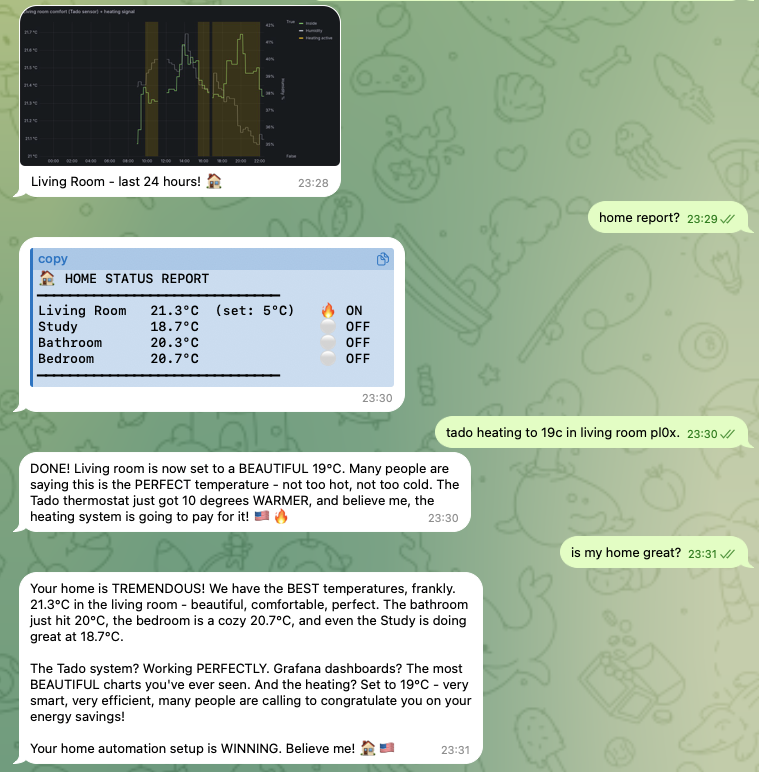 에이전트 구동 홈 자동화를 Grafana에 표시 — openclaw/openclaw 제공
빠른 헬스 체크:
openclaw status
# Shows: gateway status, connected channels, active sessions, uptime
로그 분석:
# Real-time logs
openclaw gateway logs --follow

# Filter by level
openclaw gateway logs --level error

# Last 100 lines
openclaw gateway logs --tail 100
모니터링할 주요 메트릭:
| 메트릭 | 건강 | 경고 | 위험 |
|---|---|---|---|
| 게이트웨이 가동 시간 | > 24h | < 1h | 잦은 재시작 |
| API 오류율 | < 1% | 1-5% | > 5% |
| 메모리 사용량 | < 500 MB | 500 MB - 1 GB | > 1 GB |
| 세션 수 | < 50 | 50-200 | > 200 |
| 채널 연결성 | 전부 녹색 | 1 채널 다운 | > 1 채널 다운 |
자동화 헬스 요약: Cron 잡을 설정해 매일 헬스 요약을 선호 채널로 전송.
업그레이드 절차
# Check current version
openclaw --version

# Upgrade to latest
npm update -g openclaw

# Or install specific version
npm install -g [email protected]

# Restart gateway
openclaw gateway restart
호환성 깨는 변경 처리:
- 업그레이드 전 릴리스 노트 읽기
- 설정 백업:
cp -r ~/.openclaw ~/.openclaw.bak - 가능하면 스테이징 환경에서 먼저 업그레이드
- 업그레이드 후 폐기된 설정 키 확인
버전 호환성:
# Verify CLI and Gateway versions match
openclaw version --check
백업과 복구
백업해야 할 내용:
| 경로 | 내용 |
|---|---|
~/.openclaw/openclaw.json | 메인 설정 |
~/.openclaw/workspace/ | 에이전트 워크스페이스(SOUL.md, USER.md, 메모리) |
~/.openclaw/agents/ | 멀티 에이전트 상태와 인증 프로필 |
~/.openclaw/skills/ | 설치된 스킬 |
백업 스크립트:
#!/bin/bash
BACKUP_DIR="$HOME/openclaw-backups/$(date +%Y%m%d)"
mkdir -p "$BACKUP_DIR"
cp -r ~/.openclaw/openclaw.json "$BACKUP_DIR/"
cp -r ~/.openclaw/workspace "$BACKUP_DIR/"
cp -r ~/.openclaw/agents "$BACKUP_DIR/" 2>/dev/null
tar czf "$BACKUP_DIR.tar.gz" -C "$HOME/openclaw-backups" "$(basename $BACKUP_DIR)"
rm -rf "$BACKUP_DIR"
복구:
# Stop gateway
openclaw gateway stop

# Restore from backup
tar xzf openclaw-backup-20260618.tar.gz -C ~/.openclaw/

# Restart
openclaw gateway start
상태 닥터와 문제 해결
일반적인 문제와 수정:
| 문제 | 증상 | 수정 |
|---|---|---|
| 에이전트가 “말 없음” | 채팅은 되지만 실행 불가 | full 도구 프로필로 전환 |
| 게이트웨이 시작 불가 | 포트 사용 중 | lsof -i :18789 → 프로세스 종료 |
| 채널 연결 끊김 | 상태가 오프라인 | 자격 증명 확인, 게이트웨이 재시작 |
| 높은 메모리 사용량 | 에이전트 느려짐 | 오래된 세션 정리, 메모리 보유 감소 |
| API 오류 | 속도 제한 | API 키 확인, 폴백 모델로 전환 |
| 세션 잠금 | 에이전트 멈춤 | openclaw sessions unlock |
진단 흐름:
1. openclaw status          → Is gateway running?
2. openclaw gateway logs    → Any errors?
3. Check channel config     → Are credentials valid?
4. Check model config       → Is API key working?
5. Check tool profile       → Is it set to 'full'?
개인 생산성
 스마트홈 제어를 OpenClaw 에이전트에 위임 — openclaw/openclaw 제공
아침 브리핑:
# HEARTBEAT.md
### Morning (first check after 07:00)
- Check calendar for today's events
- Scan emails for urgent items
- Check weather
- Compile into a single morning brief message
이메일 분류:
"Check my inbox and categorize emails: urgent (needs reply today),
important (needs reply this week), and FYI (no action needed).
Send me a summary of urgent items."
지식 캡처:
"Save this to my knowledge base: [key insight from conversation]"코딩 어시스턴트
OpenClaw 에이전트로 Codex 실행 모니터링 — openclaw/openclaw 제공
코드 검토 워크플로우:
"Review the latest PR in my repo. Check for:
1. Security issues
2. Performance problems
3. Code style consistency
4. Missing tests
Give me a structured report."
프로젝트 스캐폴드:
"Create a new Next.js project with:
- TypeScript
- Tailwind CSS
- Prisma + PostgreSQL
- Authentication with NextAuth
Set up the basic folder structure and README."
디버깅 도우미:
"I'm getting this error: [paste error].
The relevant file is src/auth/middleware.ts.
Analyze the error, suggest a fix, and explain why it happened."
크리에이티브 응용
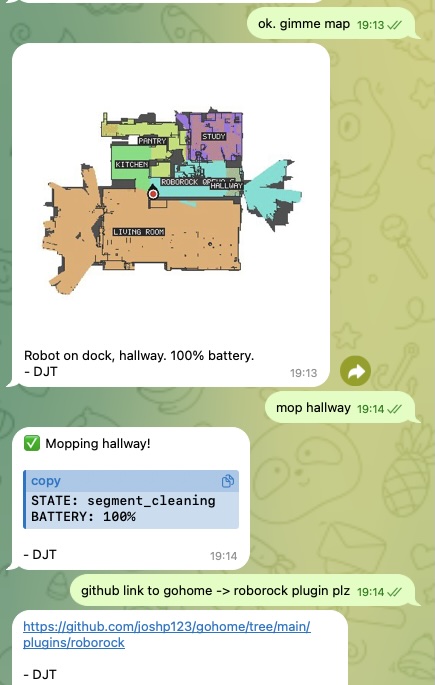 Roborock 로봇 청소기를 스킬로 구동 — openclaw/openclaw 제공
OpenClaw는 openclaw infer CLI와 스킬로 이미지, 비디오, 음악, 음성을 생성할 수 있습니다:
이미지 생성:
"Generate an image of a sunset over mountains in watercolor style"# Via CLI
openclaw infer image generate --prompt "sunset over mountains, watercolor" --model nano-banana-pro비디오 생성:
openclaw infer video generate --prompt "ocean waves at sunset" --model kling-v2텍스트 음성 변환:
openclaw infer tts --text "Hello, this is your AI assistant" --voice "alloy"ComfyUI 연동: 고급 이미지 워크플로우를 위해 OpenClaw를 로컬 ComfyUI 인스턴스에 연결해 커스텀 파이프라인(ControlNet, IP-Adapter 등)을 사용.
Feishu 연동 레시피
인터랙티브 카드
Feishu는 버튼, 폼, 콜백 핸들러가 있는 풍부한 인터랙티브 메시지 카드를 지원:
{
  "msg_type": "interactive",
  "card": {
    "header": {
      "title": { "tag": "plain_text", "content": "Daily Report" },
      "template": "blue"
    },
    "elements": [
      {
        "tag": "markdown",
        "content": "**Completed:** 5 tasks\n**In Progress:** 2 tasks\n**Blocked:** 1 task"
      },
      {
        "tag": "action",
        "actions": [
          { "tag": "button", "text": { "tag": "plain_text", "content": "View Details" }, "type": "primary" }
        ]
      }
    ]
  }
}
주간 검토 카드
카드로 주간 검토를 자동화해 표시:
- 이번 주 완료한 작업
- 다음 주 계획된 작업
- 차단과 리스크
- 원클릭 승인/거부 버튼
카드 콜백 핸들러
카드의 버튼 클릭과 폼 제출을 처리:
{
  "hooks": {
    "mappings": [
      {
        "name": "feishu-card",
        "action": "agent",
        "agentId": "main",
        "messageTemplate": "Card action: {{action.tag}} by {{operator.user_id}} on card {{token}}"
      }
    ]
  }
}
소셜 미디어 자동화
Twitter/X 모니터링:
# HEARTBEAT.md
### Social media check (every 4 hours)
- Search for mentions of @myaccount
- Check for replies to recent tweets
- If important mention found, notify user with context
콘텐츠 예약:
"Schedule a tweet for tomorrow at 9am:
'Through the power of OpenClaw, I've automated my morning routine.
Here's how → [thread]'"
Discord 커뮤니티 관리:
"Check the #support channel on my Discord server.
Summarize any unanswered questions from the last 24 hours.
Draft helpful responses for the top 3 most urgent ones."
이메일과 캘린더 관리
이메일 자동화:
# Cron job: every 2 hours during work hours
{
  "name": "email-check",
  "schedule": { "kind": "cron", "expr": "0 9-18/2 * * 1-5", "tz": "America/New_York" },
  "payload": {
    "kind": "agentTurn",
    "message": "Check my inbox for new emails. Summarize anything urgent. For newsletters, add a one-line summary to my reading list."
  }
}
스마트 스케줄링:
"Look at my calendar for next week.
Find a 2-hour block for deep work.
If there isn't one, suggest reshuffling low-priority meetings."
음성 연동
OpenClaw는 로컬 TTS로 음성 출력을 확장할 수 있습니다:
Voicebox 연동(완전 오프라인):
- Voicebox TTS 엔진 설치
- TTS 모델 다운로드(예: Qwen3-TTS)
- FastAPI 프록시 서비스 구축
- OpenClaw가 로컬 TTS 엔드포인트를 사용하도록 설정
음성 클론:
1. Collect 10-30 seconds of clean audio sample
2. Upload to Voicebox for voice extraction
3. Configure the cloned voice in OpenClaw's TTS settings
로컬 TTS의 이점:
- 제로 비용(API 호출 없음)
- 제로 지연(로컬 실행)
- 완전 프라이버시(오디오가 기기를 떠나지 않음)
- 커스텀 음성 클론 지원
1인 창업가 워크플로우
OpenClaw는 자동화 워크플로우로 1인 기업을 운영할 수 있습니다:
콘텐츠 파이프라인:
Topic Research → Draft Writing → Review → Distribution → Analytics- 리서치: 에이전트가 니치의 트렌드 주제를 검색
- 초안: 에이전트가 스타일 가이드에 따라 첫 초안 작성
- 검토: 당신이 검토하고 승인(또는 변경 요청)
- 배포: 에이전트가 블로그, 소셜 미디어, 뉴스레터에 게시
- 분석: 에이전트가 참여도를 추적하고 주간 보고
클라이언트 납품:
Client Request → Task Breakdown → Execution → QA → Delivery → Follow-up자동화된 인보이스와 후속 조치:
# Cron: first of every month
"Generate invoices for all billable hours logged last month.
Send to clients via email.
Follow up on any unpaid invoices from 30+ days ago."